
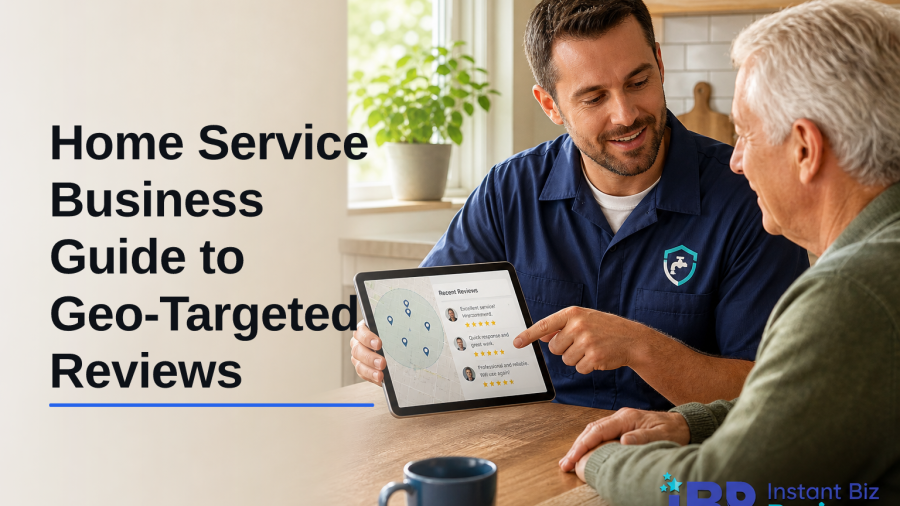
79% of people trust online reviews as much as word-of-mouth referrals (Source: InstantBizReviews). A geo-targeted review service helps you earn the right reviews in the right neighborhoods, which is exactly where your next jobs come from.
Here’s the short answer first: Geo-targeted reviews boost your odds of showing in the local pack by matching location signals, reviewer proximity, city names, and service keywords, to the areas you serve. As a result, Google sees proof that you do real work in those ZIPs, so you rank for them. In 2026, this matters for every home service pro who fights for map visibility and high-margin calls.
If you’re a plumber, HVAC tech, roofer, electrician, or cleaner, you win or lose on local trust. However, you don’t need a huge budget to compete. You need a clean review workflow, good timing, and location-aware asks. This guide shows you exactly how to do that, step by step, without fluff or jargon.

What Are Geo-Targeted Reviews and Why Do They Matter for Home Services?
Geo-targeted reviews are reviews that clearly tie your work to specific cities, ZIP codes, or neighborhoods you serve. They come from real customers in those areas and, ideally, mention the location and the service completed. For example, “Water heater replaced in 85032, same-day fix” helps your Phoenix-area plumbing page more than a vague “Great job.
Search engines weigh local signals, relevance, distance, and prominence, to sort nearby results. While no one outside Google sees the full recipe, it’s clear that a steady flow of place-specific feedback helps show relevance and real-world reach. For background on how local search works on the web at large, see this overview of Local search.
For home services, location proof is huge.
A roofer with 20 reviews from one suburb and none from the next will struggle to break into the map pack next door. Meanwhile, a competitor with 8-10 recent reviews spread across both suburbs can edge ahead, even with a similar star rating. Fresh, spread-out praise wins more calls than a pile of old reviews in one spot.
According to approved InstantBizReviews data, 79% of people trust online reviews as much as word-of-mouth referrals. That trust drives clicks and calls. Moreover, geo-specific detail helps future buyers see themselves in your work: “furnace tune-up near Riverdale” beats “fast, friendly, five stars” for both ranking and conversion.
How Location Signals Feed the Local Pack
- Reviewer’s city or ZIP matches your service area
- Mentions of the neighborhood or landmark in the review text
- Service keywords paired with a place
- Consistent NAP (name, address, phone) and hours on your listing
- Recent reviews spread across multiple priority areas
“We’ve been able to secure reviews from real customers that reflect our service quality. The reports were incredibly detailed too. — Owner, Brooks Home Repair”
Step-by-Step: How to Build a Geo-Targeted Review Strategy
Let’s keep this practical. You don’t need fancy software to start. However, you do need a repeatable process that your team can follow after every job. The goal is simple: earn more reviews from the exact areas you want to rank in, with clear service and location context.
First, map your turf. Then, tailor your review asks to each ZIP or city. Finally, time your requests so they land while the good feeling is fresh. Do those three things well and you’ll see lift in 30–60 days.
The 5 Steps You Can Put in Motion This Week
- Identify your service areas
- Draw a list of target ZIPs and cities. Prioritize zones where you want more calls and better margins.
- Segment review requests by ZIP/city
- Use location-aware templates. For instance, “Mind sharing a quick review about your drain clean in 30075?
- Time requests post-service
- Send the first ask within 2 hours of job completion. Follow up once at 48–72 hours if there’s no reply.
- Improve profiles per location
- Add service areas on your Google Business Profile. Use photos tagged near job sites when possible.
- Monitor and respond locally
- Reply with service + place in mind: “Thanks for trusting us with your attic insulation in Madison.
Moreover, tailor your message content. For example, HVAC tune-ups in summer need a different nudge than emergency plumbing on a Sunday night. Keep it short, friendly, and specific. Therefore, the customer feels your ask is about their real job, not a mass blast.

Make Your Asks Smarter With Copy
- Use “Demography Based Reviews” ideas: match tone to the neighborhood’s needs (starter homes vs. luxury remodels).
- Write “SEO Optimized Reviews” prompts: suggest the service and area without scripting the customer. Example: “If it helps others nearby, feel free to mention your water heater swap in Irving.
Furthermore, avoid long forms or hoops. A single tap from text to your profile link beats a pretty email that gets buried. As a result, you’ll see a higher reply rate and better local coverage.
Also Read!
Best Google Review Service for Home Services in 2026
Geo-Targeted Reviews vs Generic Reviews for Home Services: Which Approach Builds More Local Trust?
Common Mistakes Home Service Businesses Make with Local Reviews
Too many owners chase a higher star average and forget where the reviews come from. A 4.9 with zero presence in half your area won’t win the next town over. You need volume, freshness, and spread across target ZIPs.
Another mistake is ignoring the clock.
If you ask a week after the job, you’ll get fewer replies and less detail. However, a nudge within hours of a clean install or a fixed leak grabs that “wow, thanks” moment. It also yields location-rich notes while the job is still top of mind.
Owners also skip replies. A no-reply profile looks like a voicemail box. Respond fast, name the service, and nod to the neighborhood. For a one-star, keep calm and move it offline within two messages. Then, when resolved, ask if they’ll update their review.
Moreover, many teams bet everything on one site. Yes, Google drives calls, but secondary platforms still sway buyers. A strong pattern on two or three platforms builds trust and cushions you if one site flags a review.
Errors to Avoid
- Ignoring review geography and just chasing stars
- Asking too late after service completion
- Not responding to reviews with local context
- Neglecting secondary platforms that prospects read
- Using the same generic ask for every neighborhood
“The service helped us secure authentic reviews that boosted our local search rankings. Our customers trust us more than ever. — Owner, Thompson’s Café”
Resources and Services That Help With Geo-Targeted Reviews
Start with your Google Business Profile. Fill every field. Add categories that match your work.
Post fresh photos from job areas. Then, set a simple review request workflow tied to your CRM or job board so you never forget an ask. For technical guidance on how reviews can appear in search, see Google’s Review snippets documentation.
Next, consider a basic review manager to queue texts and emails by city or ZIP
Even a light CRM sequence, job closed → 2-hour text → 48-hour reminder, can double your response rate. Furthermore, some tools help you draft short, ethical prompts that point to the service and area without putting words in a customer’s mouth.
Tools like InstantBizReviews are one option if you want geo-targeted and SEO-optimized review support. The company focuses on authenticity, using real accounts with verified IP addresses, and offers geo-targeted and SEO-optimized reviews, plus a 15-day replacement warranty for flagged or removed reviews. Keep any third-party help honest: your best results still come from real customers, clear asks, and fast responses.
“Excellent service! The reviews are real, and our sales have skyrocketed thanks to the SEO-optimized feedback. — Manager, Cruz Wellness”
**Schedule A Free Review Plan →
What to Do Next: Your First 7 Days
You don’t need a quarter to see movement. You need one focused week. Here’s a simple seven-day plan you can run while jobs are still moving.
Day 1: Audit by location
- Export your last 100 reviews. Tag each with city/ZIP. Note gaps. If one hot ZIP has under five reviews in 90 days, star it for action.
Day 2: Map service areas
- List top 10 ZIPs by margin and demand. Add them to your profile and pin a wall map in the shop. Everyone should know the focus zones.
Day 3: Set your request workflow
- Add a “Job Complete” trigger that texts a review link within two hours. Write two short templates—one for emergency jobs, one for planned installs.
Day 4: Draft location-aware prompts
- Create a 20-word nudge for each focus ZIP. For example, “Mind sharing a quick note about your roof patch in Lakeview?
Day 5: Train the team
- Show techs how to ask in person. For example, “If we earned it, this link lets neighbors in Oakwood find us fast.
Day 6: Improve profiles
- Add three fresh project photos with captions that include the city and service. Keep it real: “Attic insulation in Franklin, no more cold spots.
Day 7: Track and adjust
- Record review count per ZIP, response time, and reply rate. In 2026, set a weekly 15-minute huddle to review these three numbers.

Metrics That Matter
- Reviews per target ZIP (trend line, week over week)
- Time to first ask (aim for under 2 hours)
- Response rate to first ask
- Average review freshness (last 30–60 days)
Key Takeaways
- Geo-targeted reviews prove you do real work in the ZIPs you want, which boosts local pack visibility and conversions.
- Timing beats volume; ask within 2 hours, remind once at 48–72 hours, and tailor the nudge to the city and service.
- Spread reviews across priority areas, respond with local context, and don’t rely on star count alone.
- Use tools and light CRM flows to segment asks by ZIP and to keep replies fast and friendly in 2026.
What to Do This Week
Pick one service area and follow the seven-day plan above. Set the 2-hour ask, write two location-aware prompts, and track reviews per ZIP on a single page. Then, expand to the next area once you see lift. You’ll build trust block by block, and earn more of the right calls.


